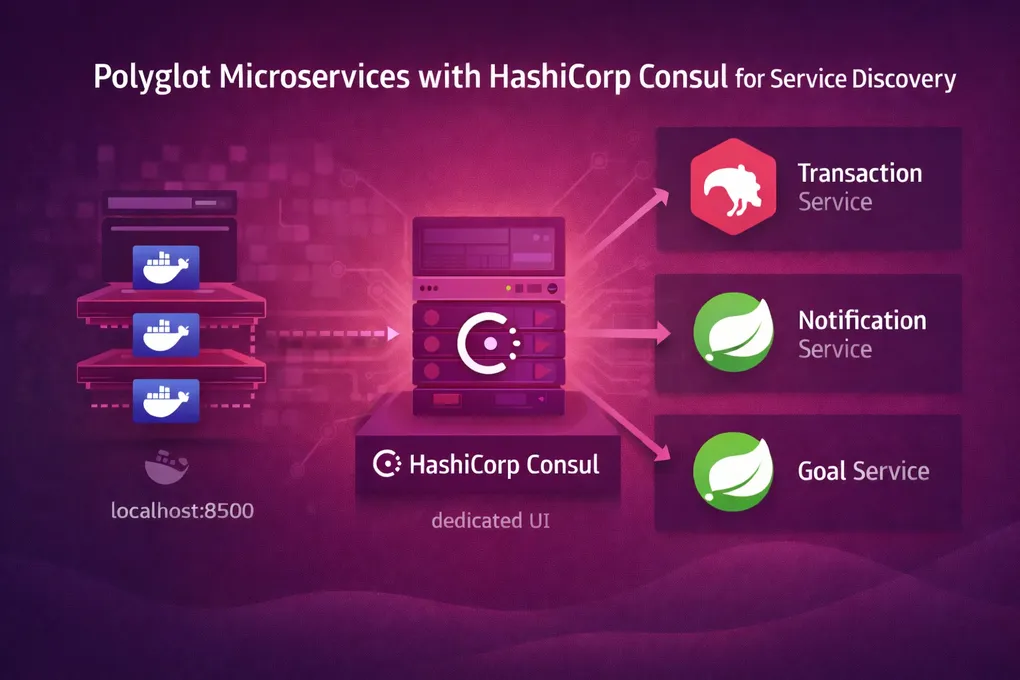
The Polyglot Edge: Unified Discovery with Consul
The Polyglot Problem
PFMS uses both Spring Boot (Java) and NestJS (TypeScript). Spring Boot services register with Eureka using spring-cloud-starter-netflix-eureka-client — one dependency and you’re done. But NestJS has no Eureka client. There’s no npm package that speaks Eureka’s registration protocol reliably.
The solution: run Consul alongside Eureka. Consul exposes a simple HTTP API that any language can call. NestJS services register with Consul; Spring Boot services register with Eureka. The API Gateway routes to both.
The Real ConsulService
The transaction-service has a hand-written ConsulService that handles registration, health checks, and graceful deregistration. Here’s the full implementation:
// transaction-service/src/service/consul.service.ts
@Injectable()
export class ConsulService implements OnModuleDestroy {
  private consul: Consul;
  private readonly logger = new Logger(ConsulService.name);
  private serviceId: string;

  constructor() {
    const txnSvcPort = 3002;
    const consulHost = process.env.CONSUL_HOST || 'localhost';
    this.consul = new Consul({ host: consulHost, port: 8500 });
    this.serviceId = `transaction-service-${txnSvcPort}`;
  }

  private getIPAddress(): string {
    const interfaces = os.networkInterfaces();
    for (const devName in interfaces) {
      const iface = interfaces[devName];
      if (iface) {
        for (const alias of iface) {
          if (alias.family === 'IPv4' && alias.address !== '127.0.0.1' && !alias.internal) {
            const isDocker = fs.existsSync('/.dockerenv');
            if (isDocker) {
              return 'host.docker.internal';
            }
            return alias.address;
          }
        }
      }
    }
    return '127.0.0.1';
  }

  async registerService(name: string, port: number) {
    const hostAddr = this.getIPAddress();
    const details = {
      name,
      id: this.serviceId,
      address: hostAddr,
      port,
      check: {
        name: `${name} Health Check`,
        http: `http://${hostAddr}:${port}/health`,
        interval: '10s',
        timeout: '5s',
        deregister_critical_service_after: '30s'
      },
    };
    await this.consul.agent.service.register(details);
  }

  async onModuleDestroy() {
    await this.consul.agent.service.deregister(this.serviceId);
  }
}
Three things worth calling out:
Docker-Aware Hostname Detection
fs.existsSync('/.dockerenv') checks whether the process is running inside a Docker container. Docker creates this file in every container. If it exists, the service registers with host.docker.internal instead of the machine’s actual IP address — because inside Docker, the real IP is a private bridge network address that Consul (running on the host) can’t reach.
This is a pragmatic hack. It’s not a standard Docker pattern, and it breaks the twelve-factor app principle of configuring via environment variables. But it works without requiring any environment variable setup, which matters for developer experience when someone runs docker-compose up for the first time.
Health Check Registration
Consul doesn’t just track which services are alive — it actively pings them. The check object tells Consul to hit http://{host}:{port}/health every 10 seconds. If the service fails 3 consecutive checks (30s with deregister_critical_service_after), Consul removes it from the registry entirely.
Graceful Deregistration
OnModuleDestroy is a NestJS lifecycle hook that fires during graceful shutdown. The service deregisters itself from Consul before the process exits, so Consul doesn’t spend 30 seconds pinging a dead service.
Dual-Transport NestJS
The transaction-service listens on two ports simultaneously — TCP for microservice messaging, HTTP for health checks:
// transaction-service/src/main.ts
async function bootstrap() {
  const app = await NestFactory.create<NestExpressApplication>(AppModule);

  const httpPort = 3004;  // Consul health checks + REST API
  const tcpPort = 3002;   // Inter-service messaging

  // TCP transport for microservice communication
  app.connectMicroservice<MicroserviceOptions>({
    transport: Transport.TCP,
    options: { host: '0.0.0.0', port: tcpPort },
  });

  // Register HTTP port with Consul (health checks hit this)
  const consulService = app.get(ConsulService);
  await consulService.registerService('transaction-service', httpPort);

  await app.startAllMicroservices();
  await app.listen(httpPort, '0.0.0.0');
}
Why two ports? TCP is more efficient for inter-service messaging (less overhead than HTTP), but Consul’s health checker speaks HTTP. Separating them means health check traffic doesn’t compete with business logic on the same port, and the TCP transport can use NestJS’s @MessagePattern decorators for clean message routing.
Docker-Aware RabbitMQ in the Module
The same /.dockerenv detection pattern appears in the module configuration for RabbitMQ:
// transaction-service/src/app.module.ts
@Module({
  imports: [
    ClientsModule.register([
      {
        name: ACCOUNT_SERVICE,
        transport: Transport.RMQ,
        options: {
          urls: [`amqp://guest:guest@${fs.existsSync('/.dockerenv')
            ? 'host.docker.internal' : 'localhost'}:5672`],
          queue: 'account_queue',
          queueOptions: { durable: true },
        },
      },
    ]),
  ],
  controllers: [AppController],
  providers: [AppService, ConsulService],
})
export class AppModule {}
The fs.existsSync call runs at module initialization time — it’s evaluated once when the app starts. If running in Docker, connect to RabbitMQ via host.docker.internal; otherwise, use localhost. The durable: true queue option means messages survive RabbitMQ restarts.
When Consul vs Eureka
| Criteria | Eureka | Consul |
|---|---|---|
| Best for | JVM services (Spring Cloud native) | Any language (HTTP API) |
| Registration | Automatic via Spring dependency | Manual HTTP registration |
| Health checks | Heartbeat-based (client sends) | Active polling (server pings) |
| Config management | No (use Config Server) | Yes (built-in KV store) |
| Setup overhead | One annotation (@EnableDiscoveryClient) | Custom service class per language |
In PFMS, the tradeoff is operational overhead (two discovery systems) vs polyglot support. Running both Eureka and Consul means more infrastructure to maintain, but each service gets a native-feeling registration experience. The alternative — forcing NestJS to use a third-party Eureka client — would introduce a fragile dependency on a community library with inconsistent maintenance.
Summary
fs.existsSync('/.dockerenv')detects Docker at runtime — pragmatic but not twelve-factor- Dual-transport NestJS: TCP for messaging, HTTP for health checks — separation of concerns
OnModuleDestroyensures clean Consul deregistration on shutdowndurable: trueRabbitMQ queues survive broker restarts- Eureka + Consul dual discovery: operational overhead justified by polyglot support