Dynamic Scaling: Implementing Netflix Eureka
Why Eureka
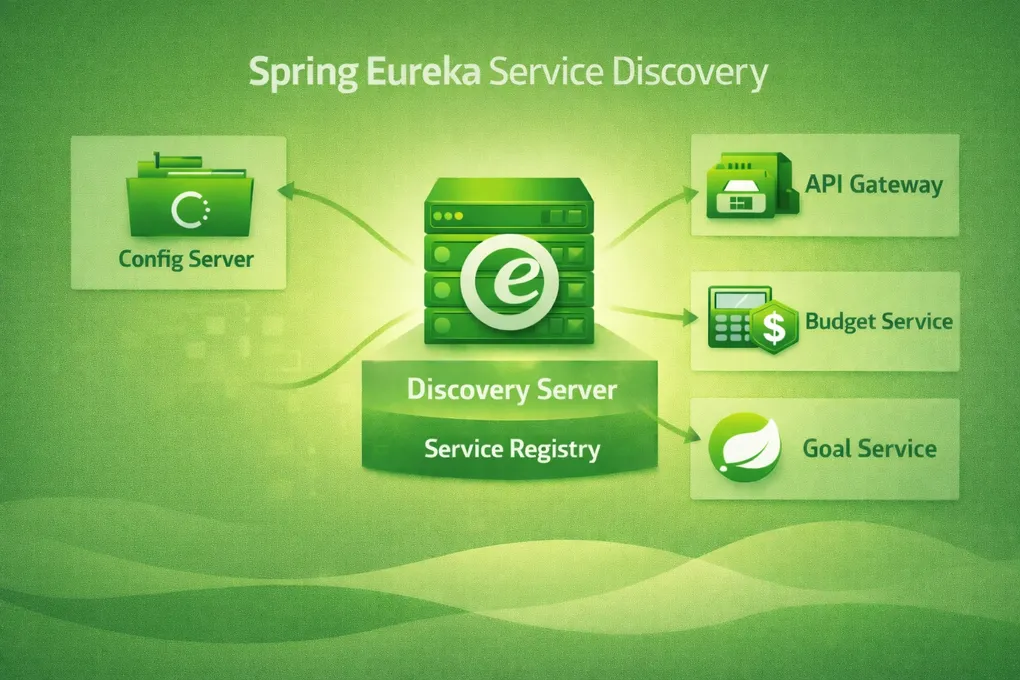
In PFMS, the API Gateway needs to route requests to the Budget Service, Goal Service, and others — but it shouldn’t hardcode their host and port. Services might run on different ports during development, different IPs in Docker, or across multiple replicas in Kubernetes. Eureka solves this: services register themselves on startup, and the Gateway looks them up by name.
Spring Cloud has first-class Eureka support. Adding one dependency (spring-cloud-starter-netflix-eureka-client) and one annotation gets a service registered. No custom code needed on the client side.
The Server: One Annotation
The entire Eureka server is 16 lines of code:
// discovery-server/.../DiscoveryServerApplication.java
@SpringBootApplication
@EnableEurekaServer
public class DiscoveryServerApplication {
    public static void main(String[] args) {
        SpringApplication.run(DiscoveryServerApplication.class, args);
    }
}
@EnableEurekaServer turns this Spring Boot application into a service registry. The configuration lives in the Config Server’s config-repo:
# config-repo/discovery-server.yml
server:
  port: 8761

eureka:
  client:
    register-with-eureka: false
    fetch-registry: false
  server:
    wait-time-in-ms-when-sync-empty: 0
register-with-eureka: false and fetch-registry: false — the Eureka server doesn’t register with itself or try to fetch from itself. wait-time-in-ms-when-sync-empty: 0 disables the default 5-minute delay before Eureka starts serving registrations, which speeds up development startup.
How Services Register
A service like the Budget Service adds one Maven dependency and a few YAML lines:
# budget-service/src/main/resources/application-dev.yml
eureka:
  client:
    serviceUrl:
      defaultZone: http://localhost:8761/eureka
    register-with-eureka: true
    fetch-registry: true
And the Docker variant swaps localhost for host.docker.internal:
# budget-service/src/main/resources/application-docker.yml
eureka:
  client:
    serviceUrl:
      defaultZone: http://host.docker.internal:8761/eureka
    register-with-eureka: true
On startup, the service sends a registration request to Eureka containing its name (budget-service), host, and port. Eureka then serves this information to any service that asks for it.
How the API Gateway Uses Eureka
The real payoff is in the Gateway routing. Instead of hardcoding http://localhost:3001, the Gateway uses Eureka’s lb:// prefix for load-balanced lookups:
# config-repo/api-gateway.properties
spring.cloud.gateway.routes[0].id=user-service
spring.cloud.gateway.routes[0].uri=lb://user-service
spring.cloud.gateway.routes[0].predicates[0]=Path=/api/v1/users/**

spring.cloud.gateway.routes[1].id=budget-service
spring.cloud.gateway.routes[1].uri=lb://budget-service
spring.cloud.gateway.routes[1].predicates[0]=Path=/v1/api/budgets/**
lb://budget-service tells Spring Cloud Gateway: “Look up budget-service in Eureka, get all registered instances, and load-balance across them.” If you scale the Budget Service to 3 replicas, the Gateway automatically distributes traffic. No config change needed.
The Startup Dependency Chain
There’s an implicit ordering in PFMS:
- Config Server starts first (port 8888) — it serves configuration to everything
- Discovery Server starts next (port 8761) — it pulls its config from the Config Server, then opens for registrations
- Business services start last — they pull config from the Config Server, then register with Eureka
If the Config Server is down, the Discovery Server won’t start (fail-fast). If Eureka is down, services start but can’t register — the Gateway won’t find them. This strict ordering prevents services from running with stale or missing configuration.
Eureka vs Consul
PFMS uses both — Eureka for JVM services, Consul for NestJS services. See the Consul discovery post for the full story on why. In short:
- Eureka: zero-code registration for Spring Boot (
@EnableDiscoveryClient), tight integration with Spring Cloud Gateway (lb://), heartbeat-based health (clients push status) - Consul: language-agnostic HTTP API, active health polling (server pings clients), built-in KV store for config
The tradeoff is running two discovery systems, but each service gets native-feeling integration with its ecosystem.
Summary
@EnableEurekaServer— the entire server is one annotation + configlb://routes — Gateway discovers services by name, load-balances automatically- Per-profile Eureka URLs —
localhostfor dev,host.docker.internalfor Docker - Strict startup ordering — Config Server → Eureka → business services prevents misconfig
- Complementary to Consul — Eureka for JVM, Consul for polyglot